Members create topics, share ideas, ask questions, and reply to each other, separate from your official News Feed posts. It works best once you have a critical mass of active players, so don't be discouraged if it's quiet in the first weeks.
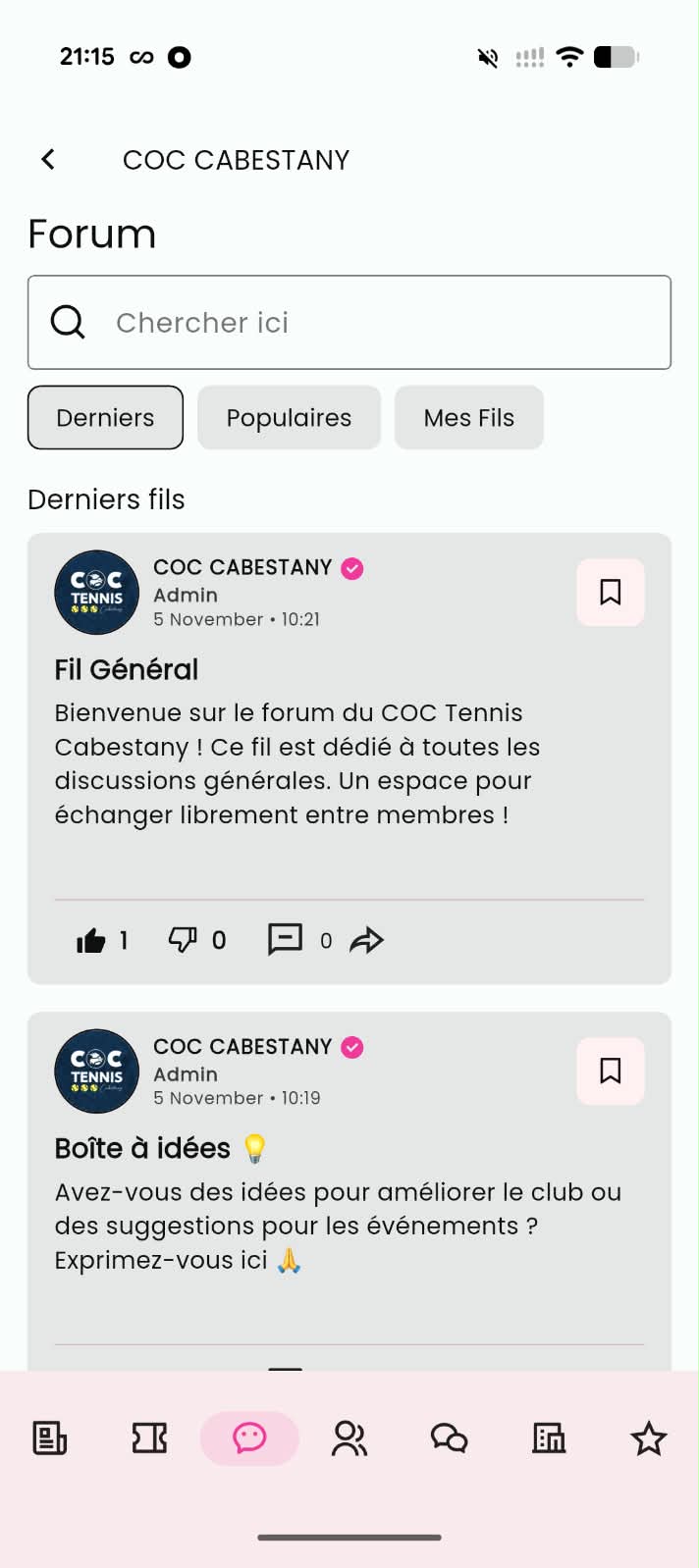
⚠ Important: Threads are created and moderated from inside the Movn app, not the builder. The builder only lets you configure the module's settings.
Setup
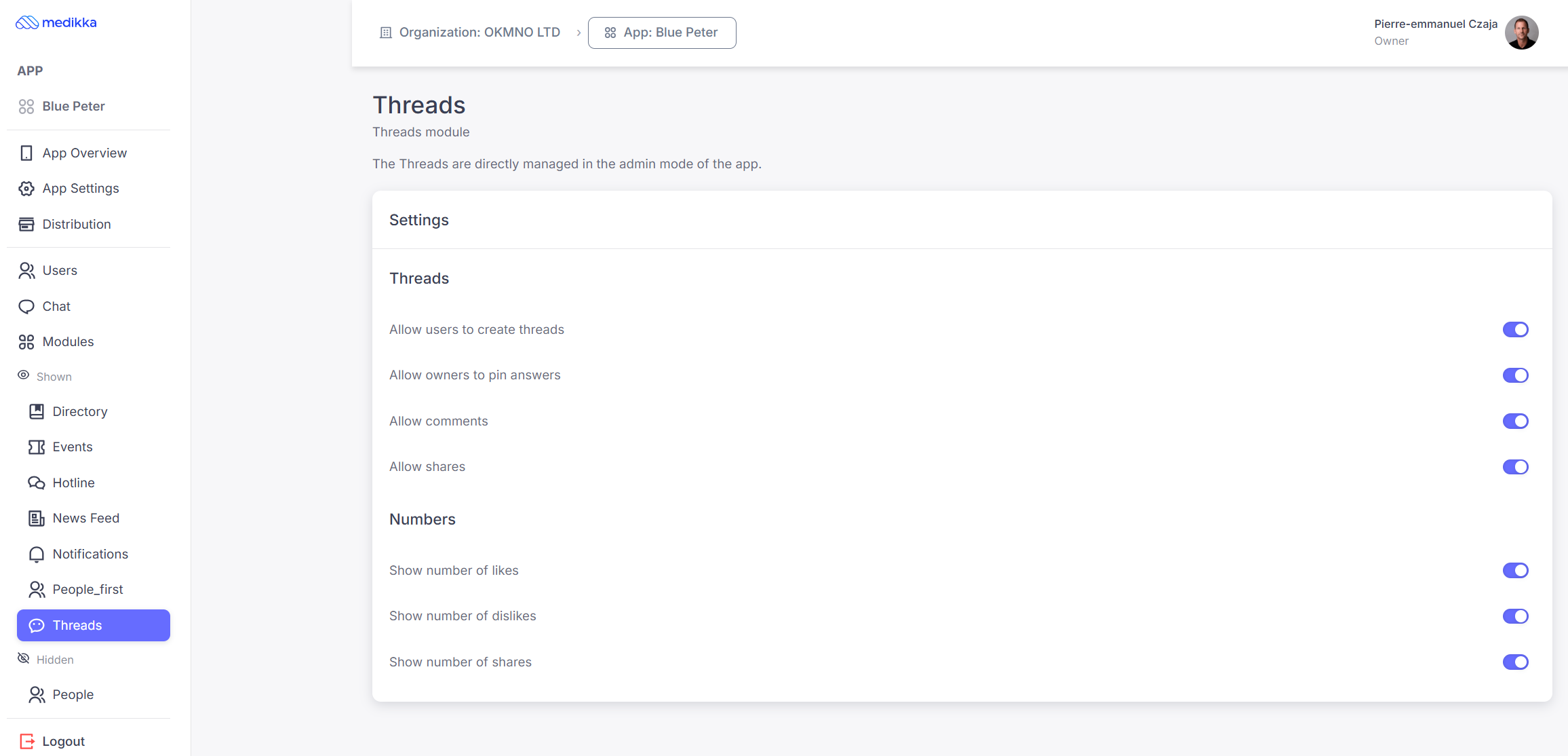
Select Threads in the left-hand menu to configure the module, then toggle the options you want and click Save Changes.
Thread permissions:
- Allow users to create threads: members can start new discussion topics. If this is off, only App Managers can create threads.
- Allow owners to pin messages: a thread's author can pin important messages.
- Allow comments: members can reply to threads.
- Allow shares: members can share threads.
Numbers display lets you choose which engagement metrics are visible: number of likes, number of dislikes, number of shares.
⚠ Tip: These settings can also be managed directly from the app, in Admin Mode.
Create a Thread
Threads themselves are created from the Movn app. Depending on your settings, either any member can start one, or only App Managers can, who then manage, moderate, and organize discussions from Admin Mode.
- Step 1: Open the app and switch to Admin Mode.
- Step 2: Tap the + button at the bottom right of the screen.
- Step 3: Enter a title and description for the thread; adding an image is optional.
- Step 4: Tap Save.