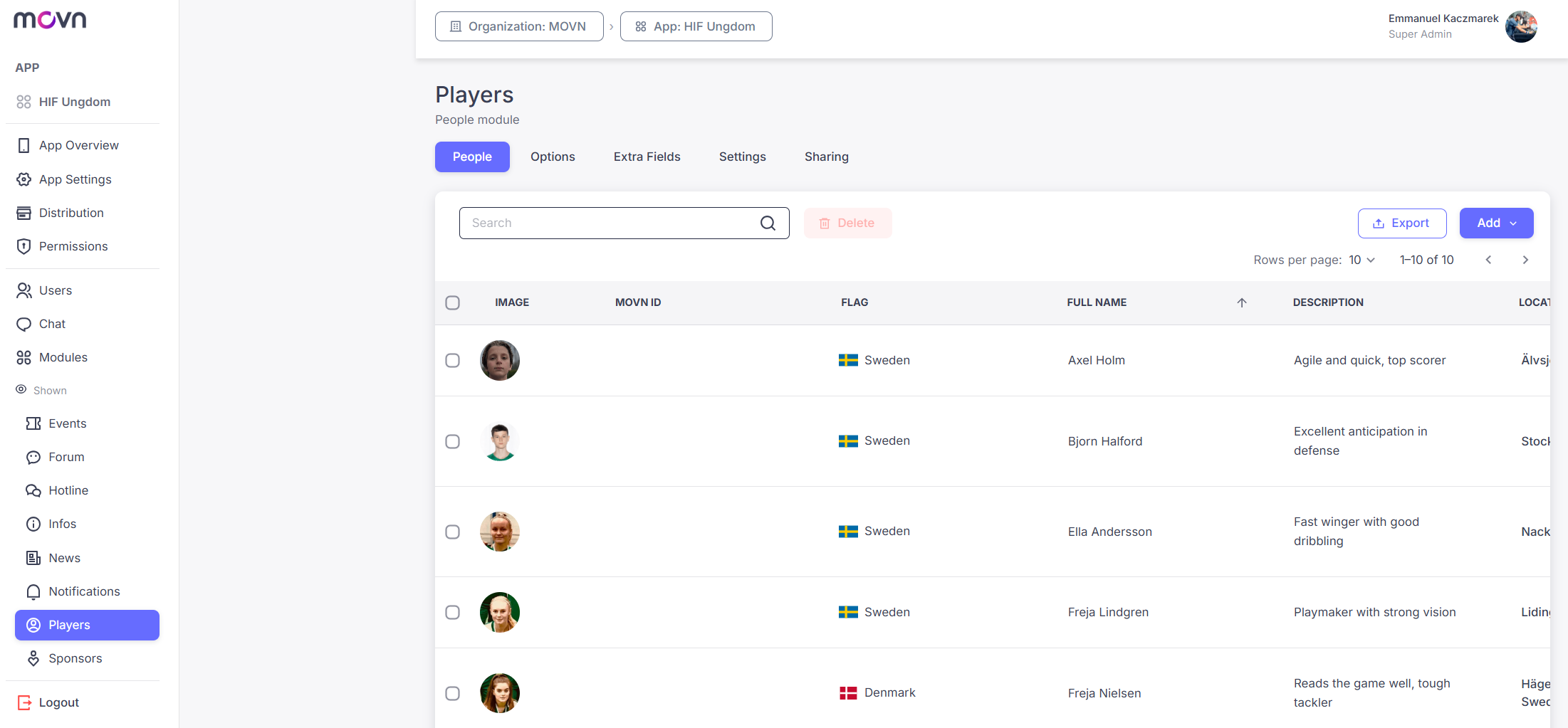
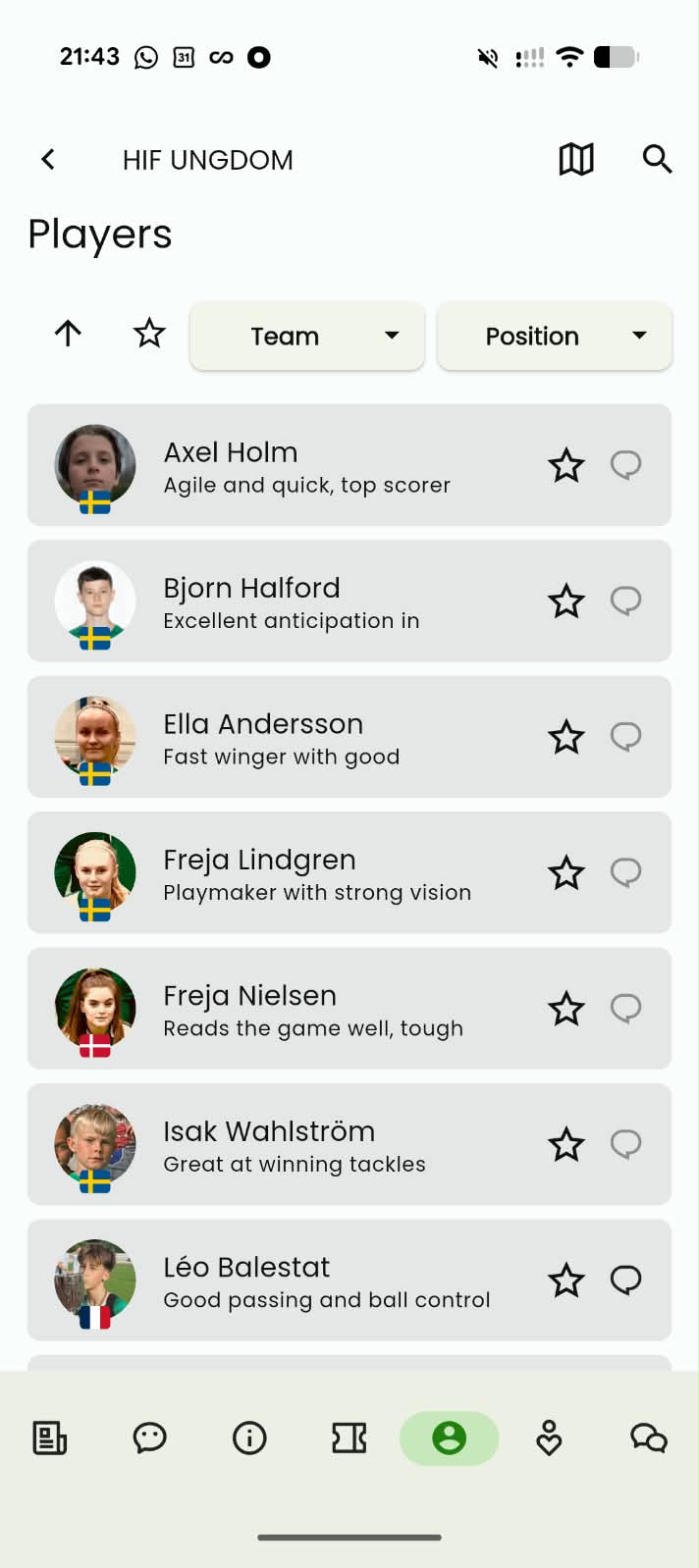
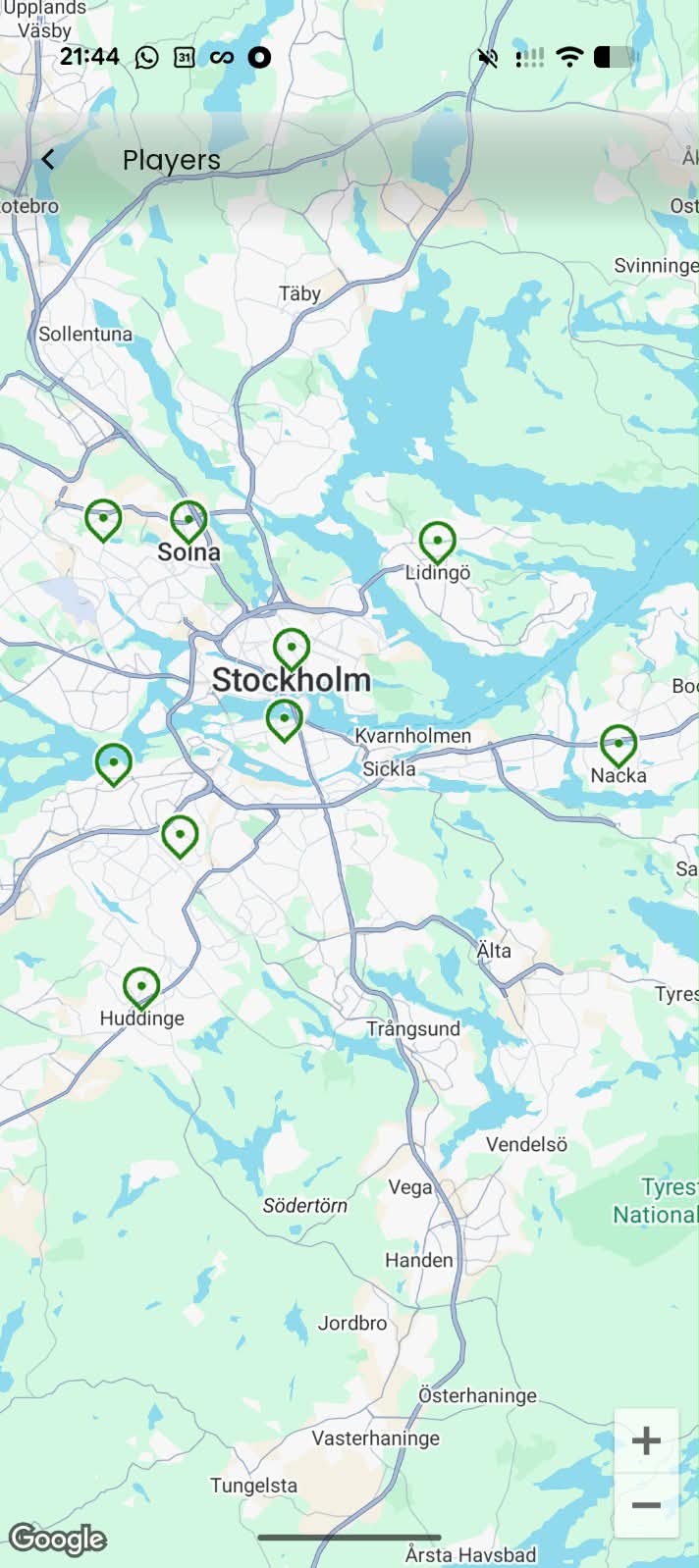
The People module is a searchable, structured directory of the individuals in your app, players, coaches, staff, whoever you want members to find and connect with. Profiles are listed alphabetically and can include a photo, custom fields (role, specialty, level, and so on), and a location shown on a map. If a profile has a Movn ID linked, players can message that person directly from it.
People vs. Listings: use People for who (individuals, profile pictures, custom fields, map view, direct messaging); use Listings for what/where (organizations, venues, or partners, with contact fields and subsections rather than interaction).
Setup
The People module has five tabs:
- People: view, add, import, or export entries. Add one manually (Add > Add Manually, fields save automatically), or import a batch via CSV (download the template, fill it in UTF-8 format, then upload).
- Options: toggle Follow/Unfollow (star a profile), Chat (message a person directly if their profile has a Movn ID linked), Map view (show people with a location on a map), and up to two Filters from your default or custom fields.
- Extra Fields: add custom fields and set their display order. Image, Nick (Movn ID), Flag, Full Name, Description, and Location are default fields and can't be removed.
- Settings: rename the module (default: People) and choose its navigation icon, useful if you want to call it Members, Players, or Coaches instead.
- Sharing: generate a direct link or QR code that opens the app straight into the People module rather than the landing page.
- Step 1: Go to the Sharing tab.
- Step 2: Click Share Your Module.
- Step 3: Copy the link or download the QR code.
⚠ Tip: Add profile pictures, use custom fields to structure information, enable map view when location matters, and set up filters, this turns People into a real discovery tool rather than a flat list.