The Notifications module is your direct line to your whole community: push notifications, instant alerts on a player's phone, so schedule changes, urgent news, or updates don't get missed. It complements Movn's other communication modules, News Feed, Threads, Chat (private and group), and Hotline.
Some modules also have their own dedicated Notifications tab that only reaches people relevant to that module. Events, for example, can push a notification straight to that event's registered attendees from its own Notifications tab (see 3.3 Events). Use the module below when you need to reach a custom or app-wide audience instead.
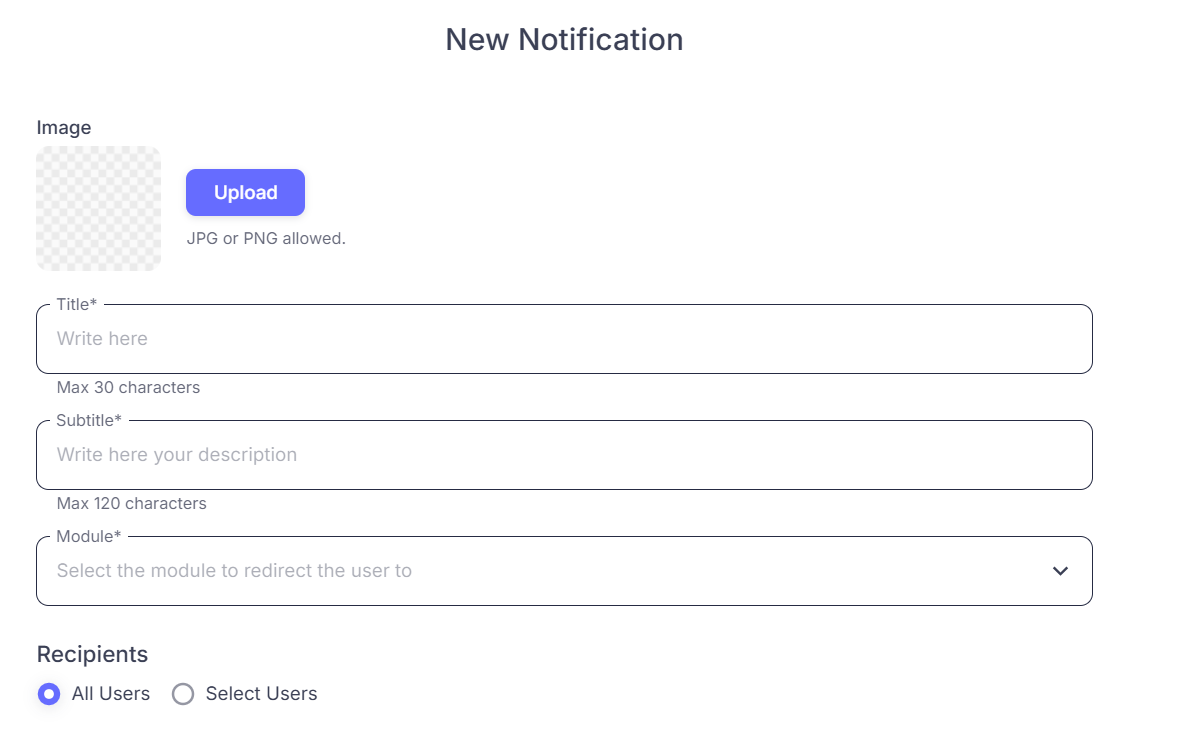
Writing a Notification
Keep it short so it stays readable on a lock screen: a Title (max 30 characters) and a Subtitle with the core details (max 120 characters).
Deep Linking
Link a notification straight to a specific tab or module, News Feed, Threads, whatever's relevant, so tapping it opens that exact screen instead of the app's landing page. A News Feed post can also trigger a notification automatically when you publish it.
Who Receives It
- All Users: broadcast to everyone in your app.
- Select Users: target specific players, useful for individual reminders or messaging a specific group, like team leads.
⚠ Tip: Notifications tend to get seen even when email doesn't, use them to point players to something interactive, like a survey, or for anything urgent that isn't tied to one specific module. Used well, this drives engagement; used carelessly, it drives uninstalls (see 4.4, Using Notifications Without Being Spammy).